


Your calendar says one thing, your task list says another, and your brain is trying to hold both at once. That is usually the moment people start searching for how to plan your day visually - not because they want prettier planning, but because they want less friction and more control.
Visual planning works because it turns abstract intent into something your eyes can scan in seconds. You stop asking, What should I do next? and start seeing the answer. For busy professionals, founders, marketers, developers, project managers, and ADHD users, that shift matters. It cuts decision fatigue, makes time visible, and supports proven productivity by giving your day a shape instead of a pile.
Why visual planning works better than a long task list
A standard list is useful for capture, but weak for execution. It shows what exists, not what fits. If you have 23 tasks and three meetings, a list does not tell you what belongs in the next 90 minutes, what can wait, or what will overload your afternoon.
A visual plan fixes that by adding structure. You can see urgency, duration, context, and energy in one view. This is why so many evidence-based productivity methods lean toward externalizing decisions. When priorities stay in your head, every transition costs energy. When priorities are laid out visually, your next move is easier to trust.
There is a trade-off, though. Visual planning takes a little setup. If you overdesign it with too many colors, labels, or categories, it becomes another form of procrastination. The goal is not to build a perfect dashboard. The goal is to create a fast system that helps you act.
How to plan your day visually without overcomplicating it
The best visual planning method is simple enough to use every day. Start with three layers: fixed commitments, priority work, and supporting tasks.
Layer 1: Place your fixed commitments first
Add meetings, appointments, deadlines with hard time constraints, and personal anchors like school pickup, workouts, or lunch. This creates the real boundaries of your day. Without this step, people tend to plan in fantasy time and then feel behind by 11:00 a.m.
This is also where time optimization starts to mean something practical. If you cannot see your actual available hours, you cannot make a smart decision about workload. A visual schedule shows capacity immediately.
Layer 2: Choose your priority blocks
Once the fixed pieces are in place, identify the two or three outcomes that would make the day feel successful. Not ten. Not everything. Just the work that matters most.
This is where a time management prioritization framework for entrepreneurs with multiple commitments becomes useful. If several tasks compete for attention, sort them by urgency and importance. An Eisenhower-style view helps you quickly separate critical work from reactive work. High-impact tasks should go into your clearest hours, not the leftover gaps.
If a task is important but vague, break it down before scheduling it. "Finish proposal" is hard to start. "Draft pricing section" and "review final deck" are easier to place and complete. Clear blocks beat ambitious labels every time.
Layer 3: Add supporting tasks around the edges
Email, admin, follow-ups, messages, quick edits, and life maintenance tasks still matter. They just should not dominate the visual center of your day. Group them into lighter blocks or place them in natural transition windows.
This is one of the most effective daily task management systems methods 2025 2026 professionals keep returning to: protect deep work, then batch the smaller items. You stay responsive without letting low-value tasks take over your best attention.
Build a visual layout your brain can scan fast
A good day view should answer four questions at a glance: what matters most, what happens when, what can move, and what is already done.
That means your layout needs visual contrast. You might use color to separate meetings from focused work and habits. You might use size or position to show priority. You might keep personal and work tasks in one system but distinguish them lightly so the day still feels unified.
The key is restraint. Too many visual signals create noise. For most people, three categories are enough: fixed, focused, and flexible. If you are managing ADHD or frequent context switching, this matters even more. A calmer screen supports calmer execution.
Use time blocks, but leave breathing room
One reason visual plans fail is that they are packed too tightly. You schedule every minute, one task runs long, and the whole day collapses. A strong visual system includes space for reality.
Try planning at 60 to 70 percent of your available time. That sounds conservative, but it is one of the more evidence-based productivity strategies because it respects interruptions, mental fatigue, and task spillover. Your plan should guide the day, not punish you for being human.
You can also use different block types. Deep work might get 60 to 90 minutes. Admin might get 20 to 30. Meetings are fixed. Habits can sit as repeatable anchors in the morning or evening. This is smarter time management because it matches the block to the kind of effort required.
Make priorities visible, not just scheduled
A day can look full and still be misaligned. That is why visual planning needs prioritization built into it, not layered on as an afterthought.
One simple approach is to mark your top task so it stands out from everything else. Another is to rank tasks before they enter the schedule. Some people prefer a quadrant view. Others want AI-based scoring or drag-and-drop reprioritization inside the day itself. The tool matters less than the principle: your visual plan should show not just where time goes, but what deserves that time.
This is where systems productivity becomes real. A productivity system is not just storage for tasks. It is a decision environment. It helps you identify what to do, what to delay, and what to ignore.
Connect habits and tasks in the same visual system
Many people treat habits and tasks as separate worlds. That creates friction. If your workout, reading block, medication reminder, planning ritual, and project work live in different places, your day gets fragmented fast.
A better approach is to view habits as part of execution, not extras. Place recurring habits directly into your visual day so they support your performance. A morning review, a midday reset, and an end-of-day shutdown can dramatically improve follow-through because they create consistent transitions.
This is especially useful for people who want evidence-based productivity tips they can actually sustain. Habits are not just about discipline. They reduce rethinking. When your day opens and closes the same way, focus comes faster.
Review and adjust in real time
A visual plan should be flexible enough to survive contact with reality. Meetings move. Energy dips. New work appears. If your system is hard to edit, you will stop trusting it.
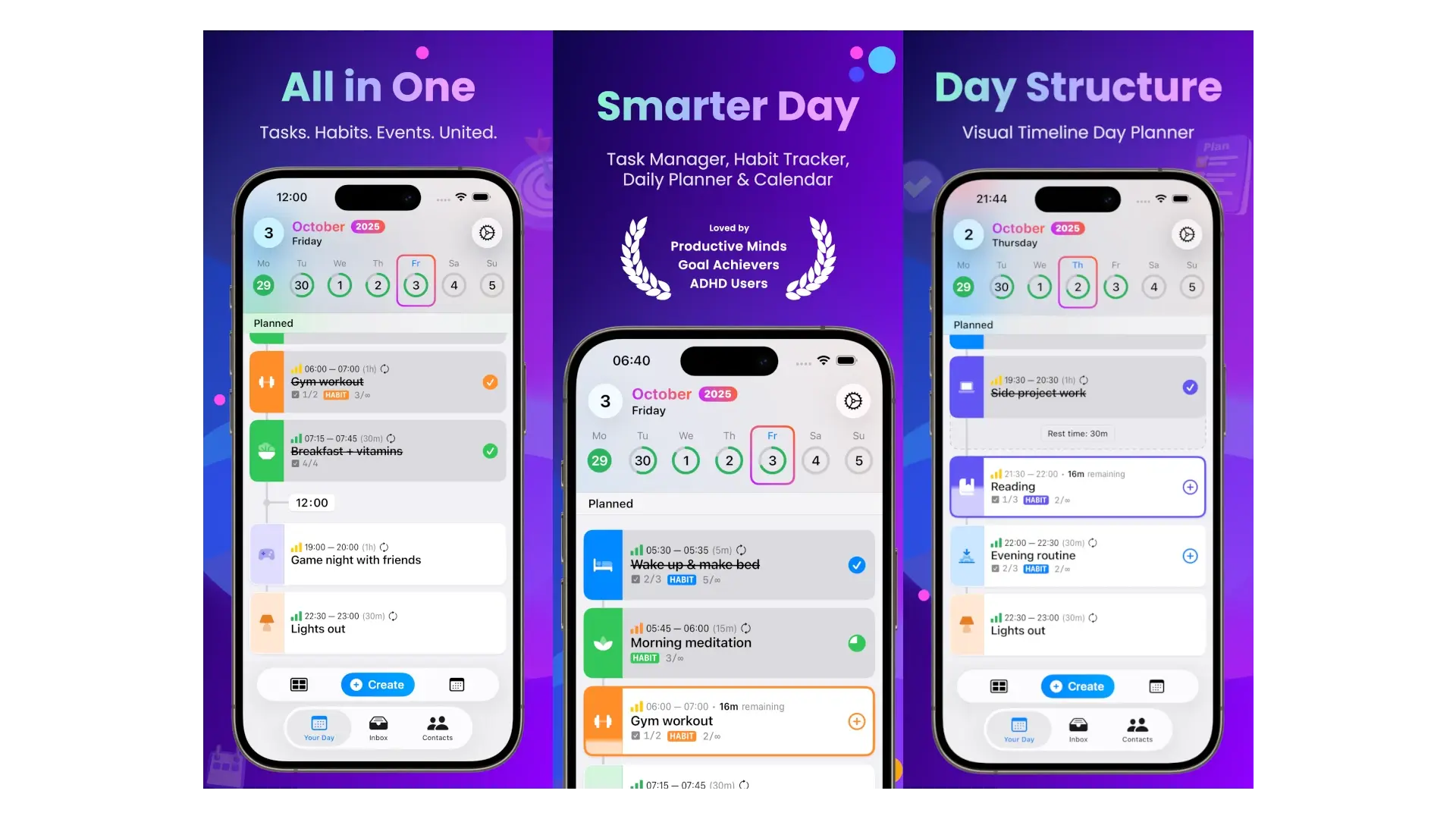
That is why the fastest planning tools tend to outperform rigid ones. Drag-and-drop scheduling, in-context edits, and quick inbox capture help you protect momentum when the day changes. Smarter.Day is built around this kind of visual control, which is exactly why integrated planning often beats juggling separate apps for tasks, habits, notes, and events.
Still, flexibility needs boundaries. Do not reshuffle your plan every 20 minutes. Adjust when priorities truly change, not whenever discomfort shows up. Otherwise visual planning becomes visual avoidance.
What a realistic visual day actually looks like
A strong day plan is not packed. It is clear. You can see one major block in the morning, a smaller block before lunch, fixed meetings in the afternoon, and a short admin sweep later on. You can also see a habit or two that keeps the day grounded.
That kind of day may not look dramatic, but it is one of the best productivity methods 2025 professionals rely on because it is repeatable. Repeatable beats heroic. A system that helps you finish meaningful work four days a week will outperform a perfect-looking plan you abandon by Thursday.
If you are just starting, do not aim for a full visual overhaul. Take tomorrow and map it in one view. Put in the fixed events. Choose two priorities. Add one admin block and one buffer. Then notice what changes. Most people feel the difference immediately: less noise, fewer false starts, and a much stronger sense of control.
The real value of visual planning is not that it makes your day look organized. It helps your day become more doable, which is what turns intention into progress.
You May Also Like
These Related Stories
Master Time Management: 12 Proven Productivity Tactics
10 Proven Productivity Tactics for Peak Performance
No Comments Yet
Let us know what you think